Understanding Cashless Tipping Options
Digital tipping has exploded in recent years. Where cash once ruled, today's tip options include in-app tips, payment terminal prompts, QR code tip jars, and peer-to-peer payments like Venmo and Cash App.
Digital Tipping Methods
In-App Tips (DoorDash, Uber, Lyft)
Added before or after service. Driver sees the tip amount, which may affect service priority.
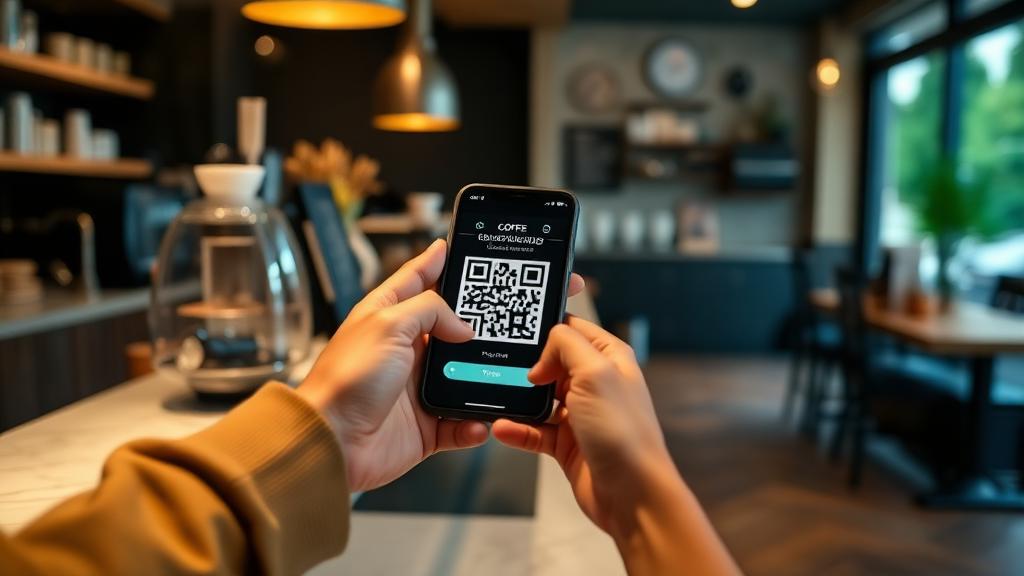
QR Code Tip Jars
Scan to send tips via Venmo, Cash App, or payment links. Common at food trucks, cafés, and street performers.
POS Tablet Screens (Square, Toast, Clover)
Digital prompts at checkout suggesting 15%, 20%, 25%. These appear even for minimal-service transactions.
How Much to Tip in Apps vs In-Person
The tipping amount shouldn't change based on the payment method. Whether you tip through an app, on a tablet, or in cash, the standard percentages remain the same:
- Full-service restaurants: 18–20% whether paying by card, Apple Pay, or cash
- Delivery apps: 15–20% or $3–$5 minimum, tipped through the app
- Coffee shops: $1–$2 for specialty drinks, optional for drip coffee
- Counter service: Optional, $1–$2 if you choose to tip
The key difference with digital: tip screens create social pressure that didn't exist with cash tip jars. A physical jar is passive. A screen that turns toward you with bold percentage buttons demands a decision. Don't let the format change your behavior—tip based on service, not screen design. Learn more about this in our guide to why we overtip.
What the preset buttons actually charge
CalculatedThe percentages on a tablet look identical whatever you are buying, but the dollar amount behind them does not. Each row is computed on the post-tax amount (how terminals normally build the suggestion), assuming 8% sales tax.
| Transaction | 15% | 18% | 20% | 25% | A flat $1 equals |
|---|---|---|---|---|---|
| Latte at the counter$5.75 before tax | $0.93 | $1.12 | $1.24 | $1.55 | 17.4% |
| Counter-service lunch$12.40 before tax | $2.01 | $2.41 | $2.68 | $3.35 | 8.1% |
| Takeout order$28.00 before tax | $4.54 | $5.44 | $6.05 | $7.56 | 3.6% |
| Bar tab, two rounds$46.00 before tax | $7.45 | $8.94 | $9.94 | $12.42 | 2.2% |
Two things fall out of the arithmetic. First, the same 25% button is a $1.55 decision on a latte and a $12.42 decision on a bar tab — the button hides that difference. Second, because the suggestion is built on the post-tax amount, choosing 20% on the screen costs $0.45 more on the takeout order than 20% taken on the subtotal.
CalculatedArithmetic from the SnapTipCalc engine on the stated amounts. Preset values are the buttons commonly shown by terminals, not a recommendation.
Regional Differences in Digital Tipping
Adoption is uneven. Dense urban areas tend to reach cashless tipping first, while cash remains more common where smaller independent businesses dominate.
Urban areas: Nearly all payment terminals include tip prompts. QR code tips are common at food trucks, farmers' markets, and pop-up shops.
Suburban/rural areas: Cash tips remain more common. Some smaller businesses may not have digital tip options on their terminals.
International: Digital tipping is less common outside the US and Canada. In Europe and Asia, tipping expectations differ significantly. See our world tipping guide and US tip calculation guide for more context.
SnapTipCalc Digital Tipping Calculator
Whether you're tipping through an app or calculating in your head before a digital screen turns toward you, SnapTipCalc gives you the right number instantly. Enter your bill, pick a percentage, and know exactly what to tip.
Related Articles
Takeout & Delivery Tipping Guide
When and how much to tip for food delivery and takeout orders.
How to Calculate Tip in the US
Step-by-step guide to calculating tips for any situation.
Common Tipping Mistakes to Avoid
Avoid the biggest tipping errors, including digital screen pressure.
Why We Overtip
The psychology behind tipping behavior and social pressure.